Changelog

Follow new updates and improvements to StageHub.

Conflict Approval Improvements
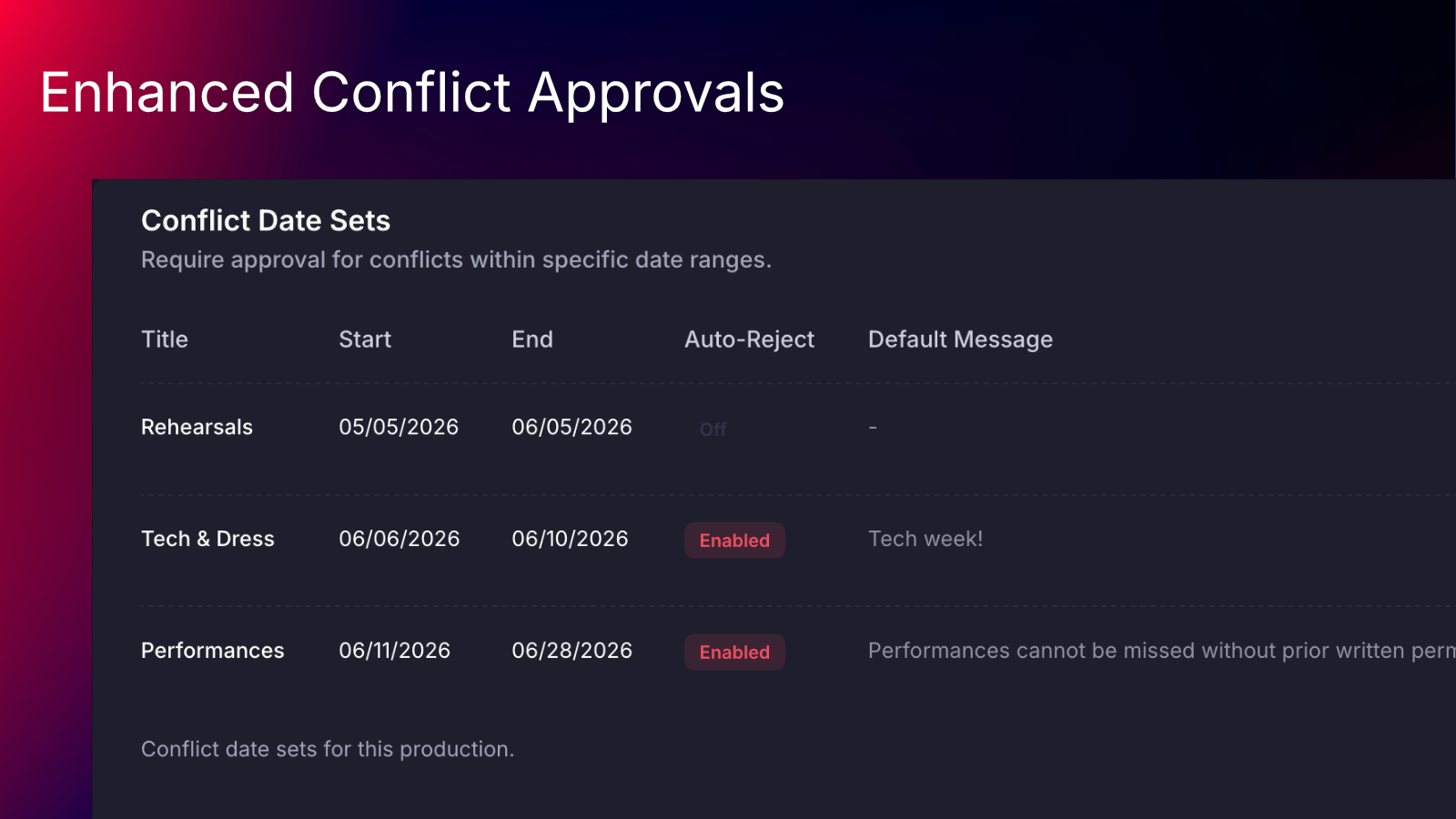
We’ve upgraded conflict date set management for productions to make it clearer, more flexible, and easier to use.

Conflict date sets now have their own dedicated settings page under Production Settings, replacing the previous on/off toggle on the general settings page. Managers can now create & manage multiple conflict date sets in one place, with the ability to give each date set its own name.

Additionally, date sets can be set up to automatically reject conflicts - great for use during final tech week and performances!

On the conflict approvals page, requests now show which conflict date set or sets they match, making it easier to understand why a request is appearing. The conflict approvals table now includes a more powerful filter experience. Managers can filter requests by status, person, date set, and whether conflicts are present.

Learn more about how to use these new features from our updated help center article.
Attendance Management

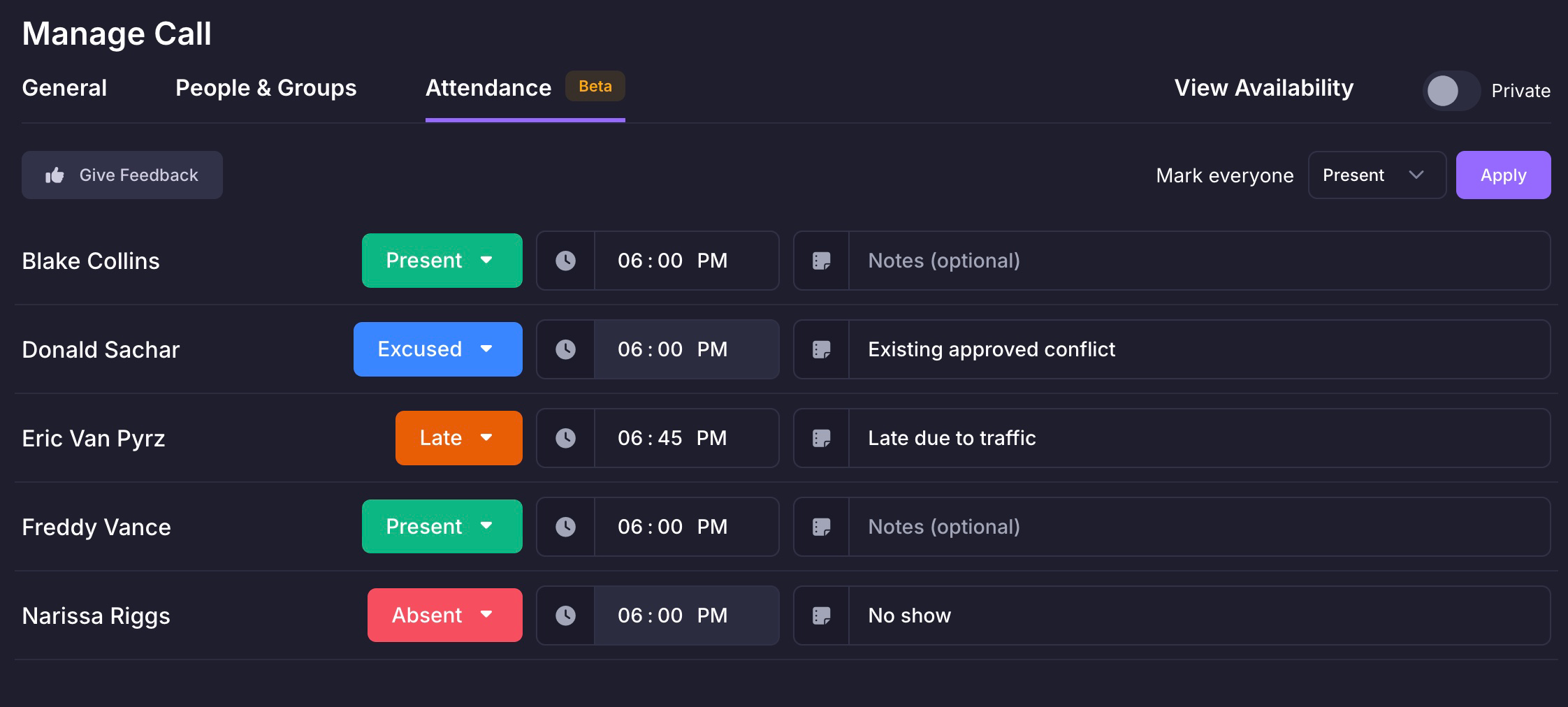
You can now manage your attendance records from within StageHub! Track the arrival times, add custom notes, and even automatically mark statuses based on conflict requests.

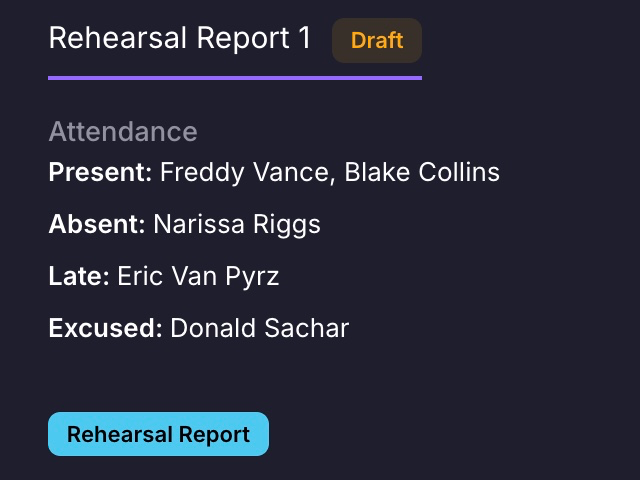
You can also sync attendance records with a report - updated in real-time, folks can see who was present for a rehearsal or performance, right alongside other contextual information from other report fields.

New

Conflict Approvals

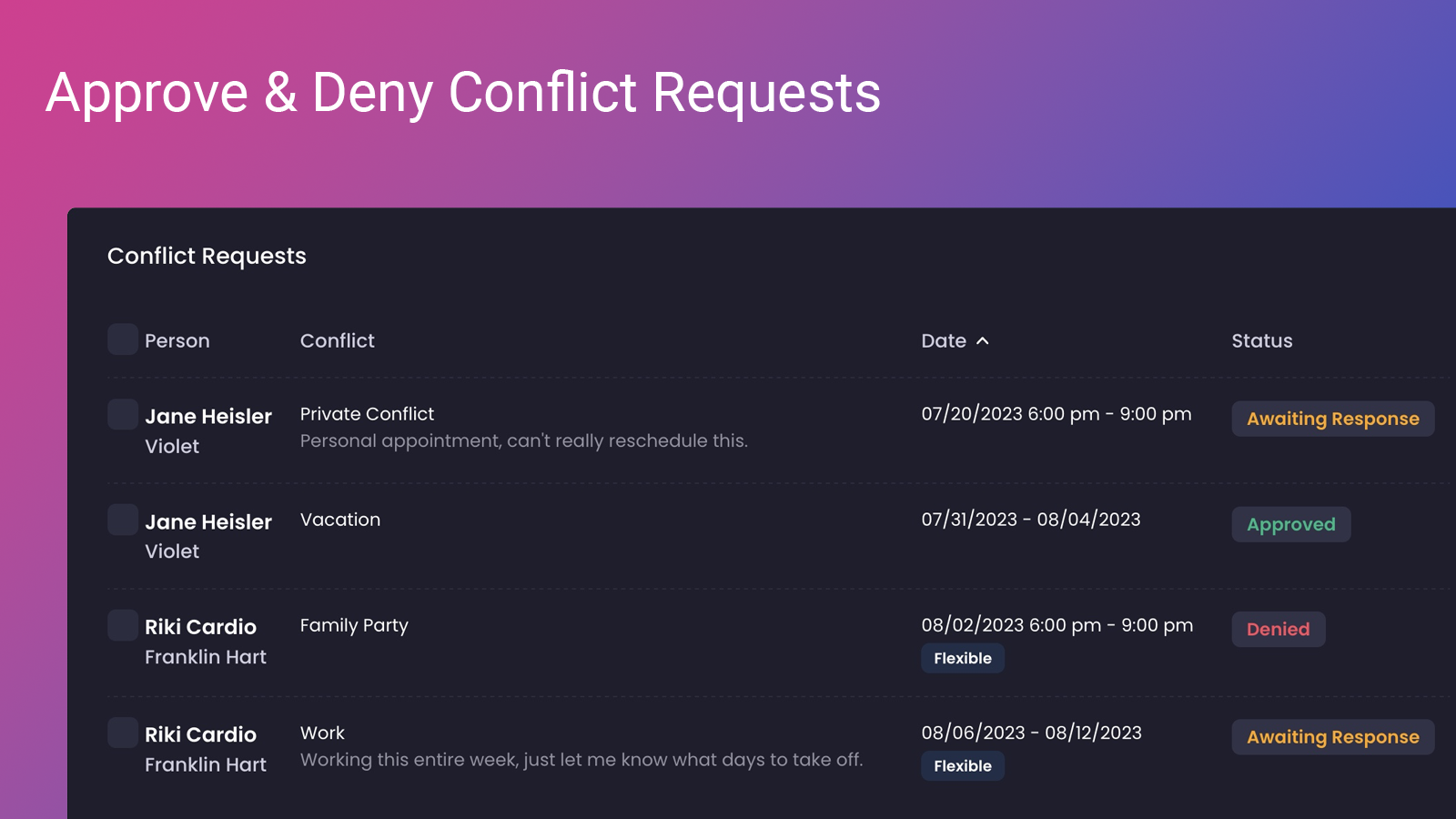
Starting today, managers can require members of their productions to submit conflicts for approval, streamlining the scheduling process. Managers can set a date range in production settings, and any conflicts that are created, updated (or that already exist - yes, it's retroactive!) will enter a pending state. Conflict requests can then be approved or denied, indiviudally or in bulk, allowing both members and managers to see feedback in real time.

In a future update, managers will be able to see which conflict requests overlap with calls (both scheduled and draft), as well as leave comments for members to review after their request has been responded to.

Ready to try things out? Head over to your production's settings page and scroll down to see the option to add an approval date range. View a list of all pending requests from Availability > Calls.

New

Earlier updates